← DISPATCH
◈ KENSHOTEK · FIELD PROTOCOL · MAY 16 2026
◈ FIELD PROTOCOL · MAC MAINTENANCE · McMORROW RD · MAY 16 2026
DFU MODE.
CLEAN MAC.
THE SHUTDOWN PROTOCOL.
You don't clean a Mac while it's running. Same reason you don't operate on something that's still on. Full shutdown first — not sleep, not display off, not lock screen. Down. That is the DFU mode principle applied to hardware maintenance. Apple's own cleaning documentation says this. Most people have never read it. Most people have six months of fingerprint oil baked into their display and use a t-shirt. This is the other way.
◈ FULL PROTOCOL · 2:56 · McMORROW RD · MAY 16 2026 · ARTISAN TILE · SHOT ON IPHONE 14
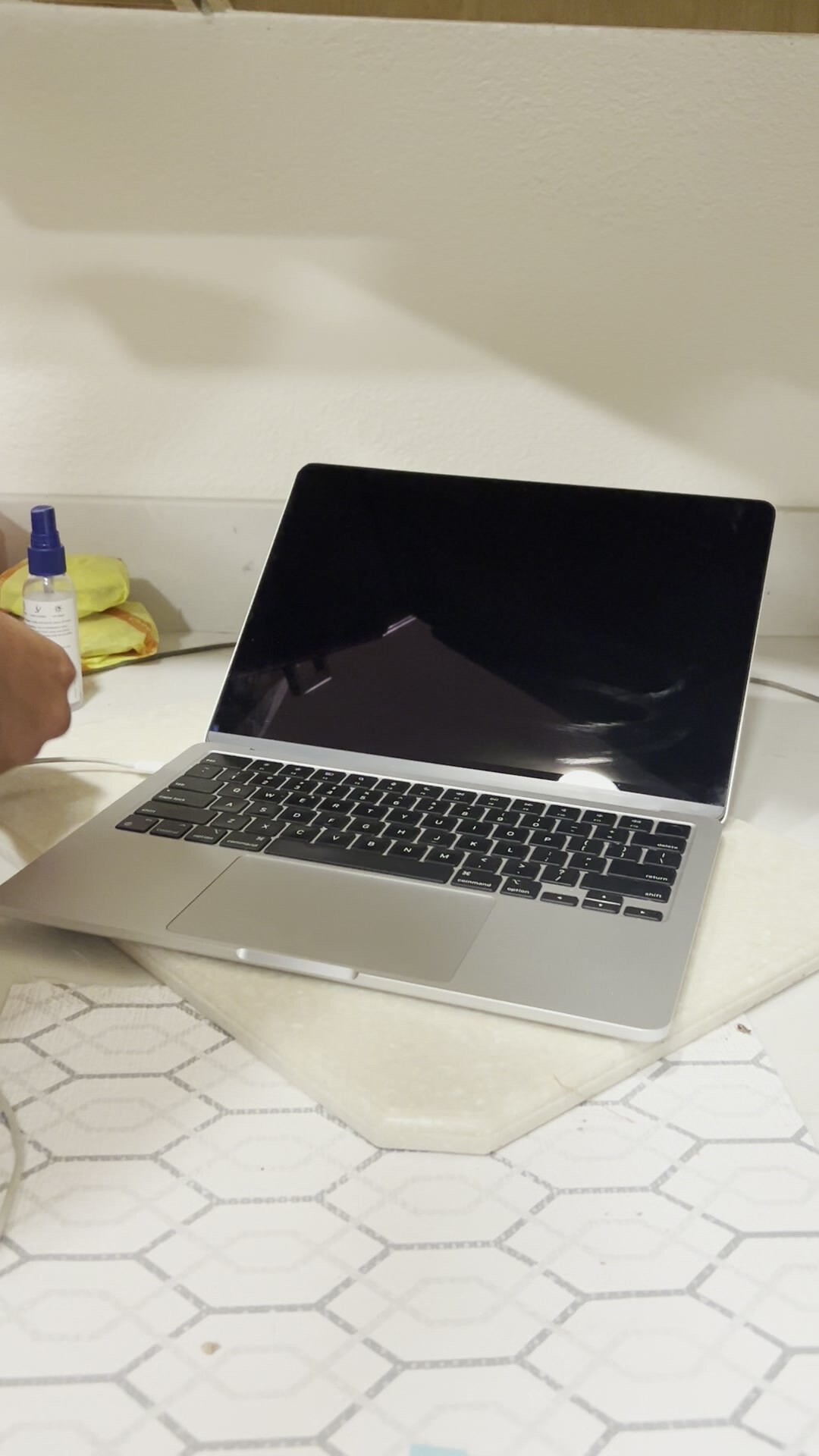
◈ SCREEN OFF. MACHINE DOWN. KIT READY. ARTISAN TILE BASE. McMORROW RD.
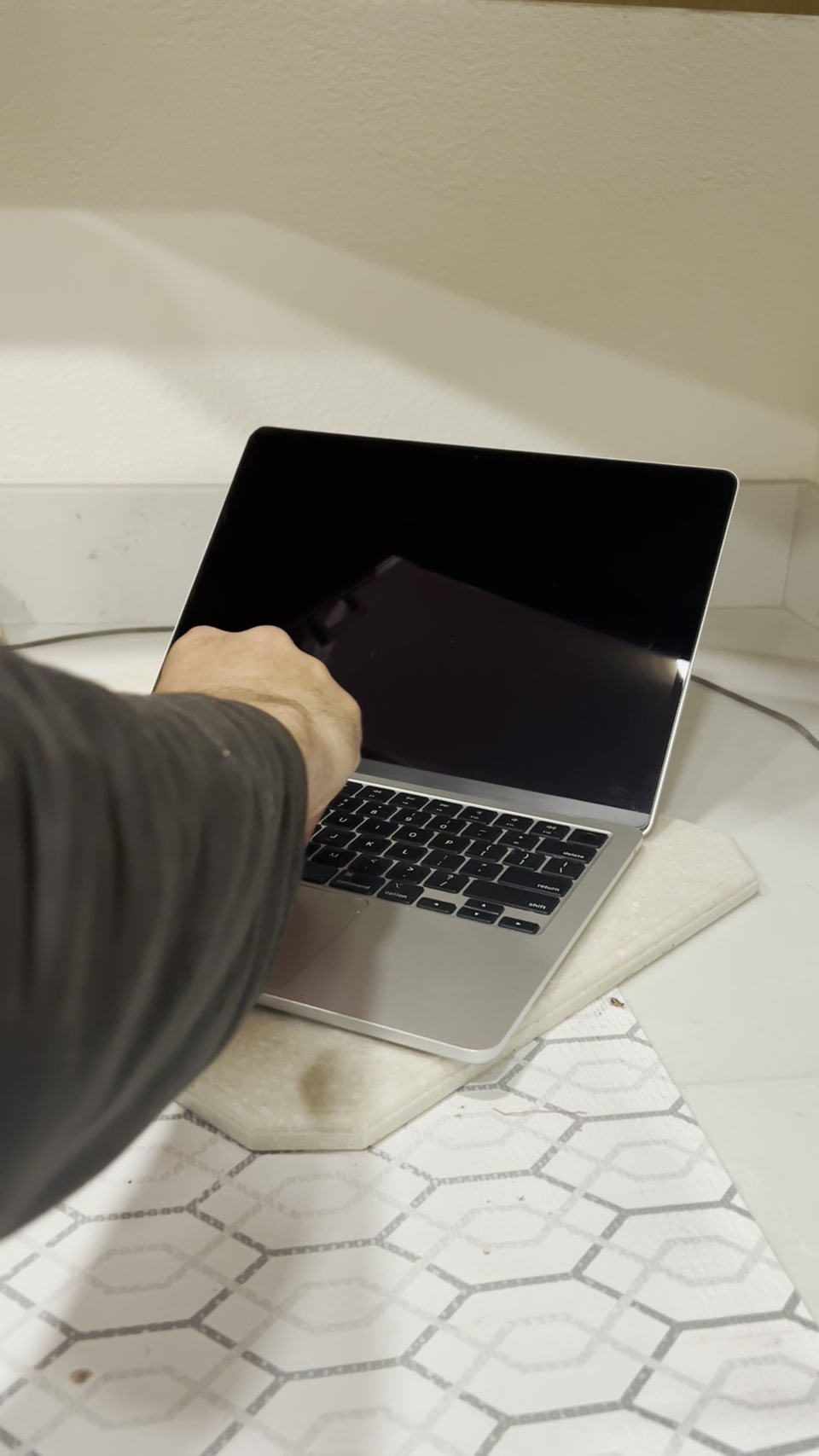
◈ ONE HAND BRACES. ONE HAND WIPES. NEVER PRESS. LET THE CLOTH DO IT.
◈ THE PROTOCOL · IN ORDER
01.
FULL SHUTDOWN. NOT SLEEP.
Apple Menu → Shut Down. Wait for the screen to go completely dark. Not sleep — you can tell by whether the keyboard backlight is still alive. Sleep means the T2 chip is still doing work. Off means off. Give it 30 seconds after shutdown before you touch it.
02.
UNPLUG EVERYTHING.
MagSafe out. USB-C out. External drive out. Nothing connected while you clean. Static is real. You're not cleaning the screen of a powered machine.
03.
PROTECTIVE SURFACE UNDERNEATH.
The MacBook sits on a cloth pad. Not bare tile — even Artisan tile. The bottom of the machine is aluminum. The floor is hard. A cloth between them means you can rotate and angle the machine without scratching the chassis. This is the workbench setup. McMorrow Rd bathroom floor. Hexagonal base.
04.
SCREEN WIPE. ONE HAND BRACES.
Left hand holds the lid from behind — not on the glass, on the bezel. This stops the hinge from flexing and stops pressure from transferring through the screen to the display panel behind it. Right hand wipes center to edge with dry microfiber. No spray on glass. Ever. If you need a cleaning spray, spray the cloth, not the screen. Let the cloth do it.
05.
KEYBOARD ROW BY ROW.
White microfiber. Light pressure. Work the keys row by row — function row first, then number row, then QWERTY, then bottom row. Don't scrub. Wipe. The keycap legends on modern MacBook keyboards are laser-etched, not printed — they won't come off. But the oils between keys are what you're removing.
06.
TRACKPAD EDGE CLEANSING.
The edge. Where the trackpad border meets the aluminum palm rest. That seam collects oil from the heel of your hand every session. Most people never address it. Fold the microfiber tight and run it along the perimeter. The Force Touch mechanism is sealed — you won't damage it. Clean the edge. That's the Scorpio detail work. That's the difference between clean and actually clean.
07.
CHASSIS + PORTS.
Wipe the aluminum body — top, bottom, sides. For ports: compressed air if you have it, or a dry soft brush. Never stick anything into a Thunderbolt/USB-C port. The bottom rubber feet collect grime from every surface the machine has ever sat on. Address them.
08.
RESTART CLEAN.
Power on. Let it boot to the login screen. Look at the display under the login screen backlight — that's when you'll see any streaks you missed. If the screen is clean you'll know it. Then log in. The machine is reset. The clean is done.
◈ THE KIT · WHAT'S IN FRAME
SPRAY
Blue bottle. Isopropyl-based screen cleaner. Goes on the cloth — not the glass. 70% or lower. Never 90%+ near any display.
CLOTH 01
Yellow microfiber. The workhorse. Chassis, keyboard, ports. High surface area. Takes the oil off.
CLOTH 02
White microfiber. Final pass. Screen only. Dry. The closing wipe.
SURFACE
Cloth pad on hexagonal tile. Artisan work as the workbench. The machine floats. Nothing scratches.
MACHINE
MacBook Pro 13". Silver. The KenshoTek field unit. This is the machine that runs everything.
◈ TRAVELING WITH A CLEAN MAC
THE FIELD RESET.
On the road the Mac takes hits — coffee shop tables, plane tray tables, hotel desks, the desk of whoever's office you're in. Every surface leaves something. Oils. Dust. Whatever was on the tray table before you. The DFU clean protocol is the field reset. You do it before you leave and after you land. Two cleanings per trip. The machine comes back to base in the same condition it left. That's the standard. The alternative is a MacBook that accumulates every surface it's ever touched. The road shows on the glass. The oils build up. The trackpad edge gets grimy. None of that is acceptable. Clean it going out. Clean it coming back.
◈ FIELD NOTE · THE TILE
The MacBook is being cleaned on hexagonal tile. Artisan Tile Co. — Blazej's work. The floor is handset, grouted, sealed. The machine is aluminum, anodized, precision cut. Both of them are someone's craft. The tile does not know that a MacBook is being polished on it. The MacBook does not know it's sitting on a craftsman's life's work. McMorrow Rd does. The artisan tile is doing better than the people who clean their MacBook with a t-shirt.
THE FLOOR IS ARTISAN. THE MACHINE IS APPLE. BOTH GET PROPER TREATMENT. 925.
◈ VERDICT
SHUTDOWN.
WIPE.
RESTART CLEAN.
Tim Cook would approve. Apple's documentation says shutdown first. The trackpad edge is the tell — if you got it, you know what you're doing. If you've never thought about it, you've been leaving oils in the seam since you unboxed the machine. The DFU clean is not optional. It is maintenance. The Mac that gets this treatment runs longer, looks better, and performs in the field like a machine that's been cared for. Because it has been. 925.
DFU MODE
MACBOOK CARE
SHUTDOWN PROTOCOL
MICROFIBER
TRACKPAD EDGE
FIELD PROTOCOL
McMORROW RD
ARTISAN TILE
TRAVELING CLEAN
TIM COOK APPROVED
SCORPIONIC
925
← ALL DISPATCHES